
Download with serial
Software download
Enter your device serial number to download the right version of the program, on the systems available for your model.
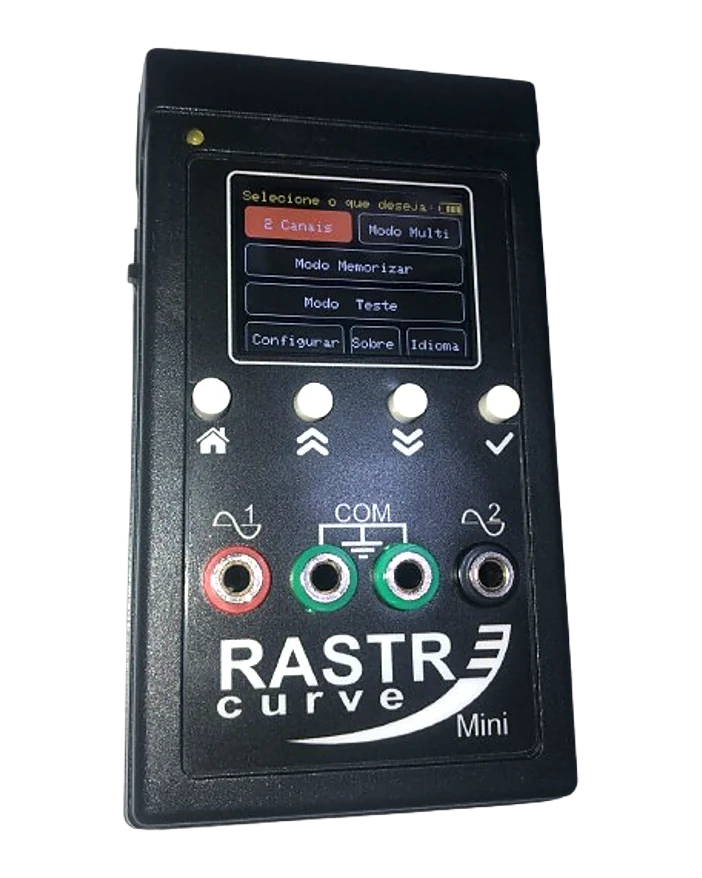
RastreCurve Mini – training unlocked
The portable Mini works without a computer, so there is no software to download. The complete training is open to everyone, no serial needed:
- Step-by-step path with videos at the exact moment
- Settings, Multi Mode, memorizing and testing
- User manual in PDF (PT, EN, ES)
Could not find your serial or had trouble downloading? Contact support. WhatsApp · ricardo@rastrecurve.com
This version is not yet notarized by Apple, so macOS blocks the first launch. To allow it:
- Install: drag 2Plus to the Applications folder.
- First launch: right-click 2Plus inside Applications, choose “Open” and click “Open” again in the warning window. If that option does not appear, go to System Settings › Privacy & Security and click “Open Anyway”. This is only needed once.
- Macs with Apple Silicon (M1/M2/M3/M4): this version is built for Intel and runs through Rosetta 2. If macOS asks to install Rosetta, accept.
- Connecting the device: plug in the USB cable before opening the program and click “Allow” if macOS asks. If you open it first, click “initialize”. No driver is needed.
This version is not yet notarized by Apple, so macOS blocks the first launch. To allow it:
- Install: drag Lite to the Applications folder.
- First launch: right-click Lite inside Applications, choose “Open” and click “Open” again in the warning window. If that option does not appear, go to System Settings › Privacy & Security and click “Open Anyway”. This is only needed once.
- Macs with Apple Silicon (M1/M2/M3/M4): this version is built for Intel and runs through Rosetta 2. If macOS asks to install Rosetta, accept.
- Connecting the device: plug in the USB cable before opening the program and click “Allow” if macOS asks. If you open it first, click “initialize”. No driver is needed.